

Free UK Allotment Planner App
Looking for a free allotment planner in the UK? Use this tool to design raised beds, organise crop spacing and test layouts before anything goes in the ground. Built with UK growing conditions in mind, it works for anything from a small veg patch to a full allotment plot. Open Tutorial in the top menu for a quick walkthrough.
Planner Controls
Use these controls to quickly build, adjust, and export your garden plan.
| Control | What it does |
|---|---|
| Crop Selection | Choose a vegetable to place on the grid. |
| Place Crop | Click a square to add the selected crop. |
| Paint Crops | Click and hold to quickly place crops across multiple squares. |
| Remove Crop | Right click an occupied square again (or use remove button if on mobile). |
| Crop Info Panel | View spacing, companions, and growing details for the selected crop. |
| Add/Remove Columns | Adjust the size of your growing area or reshape your layout. |
| Zoom +/- | Resize the grid as needed |
| Undo | Step back through recent changes. |
| Clear | Remove all crops and reset the layout. |
| Export / Print | Download your plan to use in your garden. |
Start Your Square Foot Garden Plan in 4 Steps
Design your raised bed layout in under a minute:
1. Choose a Crop
Choose a vegetable from the list to start building your layout.
2. Place It on the Grid
Watch spacing and companion planting update as you go.
3. Adjust Your Layout
Use planner controls to tweak spacing, move crops, and refine your plan as you go.
4.Save & Export
Save your plan to come back later, or export it when you’re ready to use it.
This simple planner helps you organise crop spacing, experiment with layouts, and design productive raised beds before planting.
If you’re new to square foot gardening, you may also find this helpful:
Use This Free UK Allotment Planner
This tool is built around square-foot gardening, but it also works as a flexible allotment planner if you prefer to measure in metres. Whether you are planning a full plot, half plot or a few raised beds, you can map out beds, paths and fixed features, see what fits, and adjust the layout before planting. If you are still deciding where everything should go, our beginner’s guide to allotment planning walks you through the process step by step.
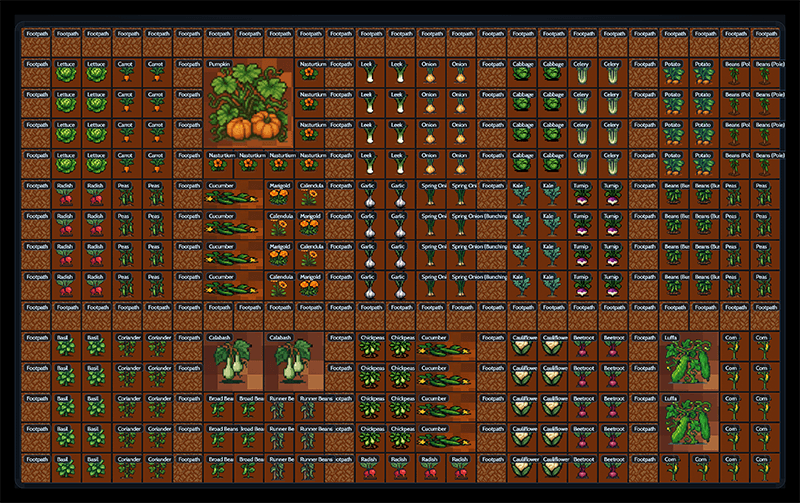
Why it works well for allotments
Using a simple grid makes it much easier to visualise space, avoid overcrowding, and organise crops in a way that actually works in real conditions. It’s less about following strict rules, and more about giving yourself a clear, flexible starting point.
Updates & Changelog
This online garden planner free tool continues to evolve thanks to feedback from growers like you. Updates are made through small, considered iterations, focusing on clarity, reliability, and real-world usefulness rather than frequent changes.
- Launched the first version with core grid-based planning.
- Added initial vegetable options.
- Added PDF export for printable layouts.
- Introduced full-screen mode.
- Improved mobile usability & touch support.
- Expanded guide and layout handling tools.
- Introduced the new retro pixel-art UI design.
- Expanded the full veg library, including companion-planting rules.
- Added PDF export with companion-planting reference panel.
- Improved mobile drag-and-drop interactions.
- Added fruit tree layout support (spacing + category options)
- Added Export to PNG for clean single-image garden layouts.
- Improved PDF export boundaries, cropping, and output quality.
- Improved visual clarity for grids, icons, and tool panels.
- Fixed several sprite alignment issues.
- Improved category sorting and bottom-menu rendering.
- Fixed Next Year / This Year state switching bug where changes weren’t saved properly.
- Fixed Squash Family icons still pulling in legacy sprites on the grid.
- Updated all squash icons
- Synced veg menu + grid tile renderer to the same icon source
- Cleaned up internal crop ID and icon mapping.
- Minor stability improvements around drag placement.
- Added support for decorative sprite layers (future gnomes, stepping stones, etc.).
- Added internal support for seasonal themes (not yet exposed in UI).
This update focuses on making the planner easier to use, more reliable, and better suited to UK growers.
- Undo now works properly across all actions (including clearing the grid)
- Save and Print buttons have been simplified
- You can now zoom the grid in and out to suit your layout
- The planner layout has been improved, with the grid now centred
- Crop names have been updated to UK-friendly terms (Rocket, Aubergine, etc.)
- General improvements to performance, stability, and future development
This update focuses on simplifying the planner experience, improving usability, and making the tool feel more intuitive and informative.
- The planner now loads with a full ready-to-use canvas, removing the need to set grid size or generate a layout
- Width, height, and Generate Grid controls have been removed to streamline the interface
- The grid now behaves as a fixed planning canvas, making placement more predictable and stable
- The layout has been simplified so users can start planning immediately with zero setup
- The zoom control has been refined to focus on scaling the canvas down, helping users see more of their layout at once
- The interface has been restructured into a clean single-column sidebar with accordion sections for better usability and mobile support
Crop Info & Companion Improvements:
- Added a dedicated Crop Info panel that updates dynamically based on the selected crop
- Introduced visual planting guides (mini grid diagrams) to show spacing and layout at a glance
- Added key growing data including sow depth, spacing, and plants per square foot
- Integrated companion planting insights directly into the crop card, making good/bad pairings easy to understand
- Improved presentation using clear labels and visual tags, making information quicker to scan and more beginner-friendly
- Overall improvements to clarity, usability, and flow, making the planner feel more like a visual canvas than a tool
Improved how the planner saves and guides your workflow, making it easier to build, revisit, and complete your layouts.
- Added browser-based Save Plan (no login required)
- Introduced live save status (saved / unsaved changes)
- Moved save and export actions to a clearer top-level position
- Improved overall flow from planning → saving → exporting
- Reduced friction for returning users continuing existing plans
Refined the Allotment Planner interface to make it cleaner, easier to use, and more app-like across desktop, tablet, and mobile.
- Redesigned the top toolbar into a compact app-style command bar
- Moved layout tools into a cleaner Layout dropdown
- Replaced crop category buttons with a simple category dropdown
- Refined mobile and tablet toolbar behaviour
- Improved mobile crop selection and placement controls
- Fixed visual layering, dropdown backgrounds, and small layout inconsistencies
Overall, this update makes the planner feel more like a proper garden planning tool while keeping the interface simple, fast, and easy to use.
Added a new Cover Layer system to the Allotment Planner, making it possible to plan protected growing areas separately from crops.
- Added a new Covers layer for planning greenhouses, polytunnels, netting, fleece, and fruit cages separately from crops
- Added cleaner Crops / Covers tabs, with layer-specific Clear, Undo, Save, and removal behaviour
- Improved cover visuals with texture previews, drag-to-place areas, and clearer crop/cover layering
- Added a simplified phone mode focused on quick crop planning, saving, and companion highlights while keeping advanced cover tools for larger screens
Overall, this update turns the planner into a more complete layered garden planning tool, allowing users to plan both crops and protective structures while keeping the mobile experience simple and usable.
Added a new Timeline mode to the Allotment Planner, making it easier to preview how a planting plan changes through the growing year.
- Added a Timeline tab with month-by-month crop activity
- Added coloured grid markers for sowing, planting out, and harvest windows
- Added a scrollable month selector so users can move through the growing season
- Added a desktop-only guided demo showing crop placement, crop details, covers, timeline use, and export
- Added clickable tutorial progress sections for replaying demo stages
- Improved the Clear Saved Plan behaviour so it clears the visible canvas immediately
- Replaced one-at-a-time grid expansion with direct plot size controls
- Tidied and optimised planner code after the Timeline and Demo updates
Overall, this update makes the planner feel much more interactive and beginner-friendly, helping users understand not just where to plant crops, but how their allotment layout changes through the year.
Added a new Surfaces layer to the Allotment Planner, making it easier to build the structure of a plot before adding crops.
- Added a dedicated Surfaces mode for painting beds, paths, grass, gravel, paving, compost, woodchip, and straw mulch
- Reworked the planner flow so users can now build in layers: Surfaces → Crops → Covers → Timeline
- Improved surface painting so it feels smoother and no longer interferes with grid movement
- Added right-click removal for surface tiles
- Added right-click/escape deselect behaviour so users can quickly return to moving around the grid
- Updated crops so they sit more naturally over the surface layer below
- Tightened the crop menu into a more compact, game-style icon grid
- Improved the top toolbar with larger, clearer controls and better visual grouping
- Improved the Layout menu with clearer plot size input fields and more comfortable spacing
- Moved the demo/tutorial progress panel into a more visible position
- Added a subtle loading/working indicator for heavier actions
- Improved save, restore, export, and print handling for surface layers
- Continued performance improvements so larger plots feel more responsive under load
- Cleaned up and optimised planner code after the new layer system was added
Overall, this update makes the planner feel more like a proper interactive allotment-building tool. Users can now lay out the ground first, add crops on top, protect areas with covers, and then use the timeline to review how the plan changes through the season.
This update makes the Allotment Planner easier to follow, especially for new users and anyone using the tool on a phone or tablet.
- Improved the guided demo with clearer step-by-step help
- Added highlighted areas so it is easier to see which part of the planner is being explained
- Updated the demo example with a smaller, clearer plot layout
- Added guidance for painting surfaces, placing crops, using covers and saving plans
- Improved the mobile layout so the planner works more smoothly on smaller screens
- Simplified mobile crop planning, with soil now appearing automatically under placed crops
- Tidied the top toolbar and grouped common actions more clearly
- Added clearer loading feedback when the planner is working on longer actions
- Improved light mode styling across panels, buttons, tiles and tutorial cards
- Fixed several readability issues in light mode
Overall, this update should make the planner feel clearer, smoother and easier to use from the first few clicks.
Frequently Asked Questions
Here are a few common questions about the free allotment planner and how to use it.
Yes — completely free. There are no subscriptions, trials, hidden upgrades, or locked features. You don’t need to create an account or enter any details. Simply open the planner and start designing your allotment layout.
The tool is supported by simple on-page advertising, which helps cover hosting and development costs so it can remain accessible to UK growers.
No. There is no login system, no data collection, and no tracking beyond standard website analytics. Your layouts are created and exported directly in your browser.
Absolutely. The grid size is fully adjustable, so you can plan small raised beds, compact square-foot layouts, or scale up to a traditional 10×10 metre allotment. The flexible grid makes it suitable for beginners and experienced growers alike.
Yes. The built-in companion planting system highlights relationships automatically using colour-coded borders:
– Green – good companions
– Red – poor companions
– Amber – mixed results
This makes it easy to design healthier, more balanced planting combinations without memorising charts.
It’s an independent garden planning tool built specifically for UK allotment growers. Unlike many online planners, it doesn’t require a subscription or account to access core features. Companion planting guidance, flexible grids, and export options are all included from the start.
Yes. You can export your layout as a PNG image or PDF file. This allows you to print your plan or keep a copy on your phone while planting at the allotment.
More Free Interactive Tools
The Square Foot Garden Planner works best when combined with the free planning tools below. Use them to decide what to plant, when to sow, and how to organise your garden throughout the year.
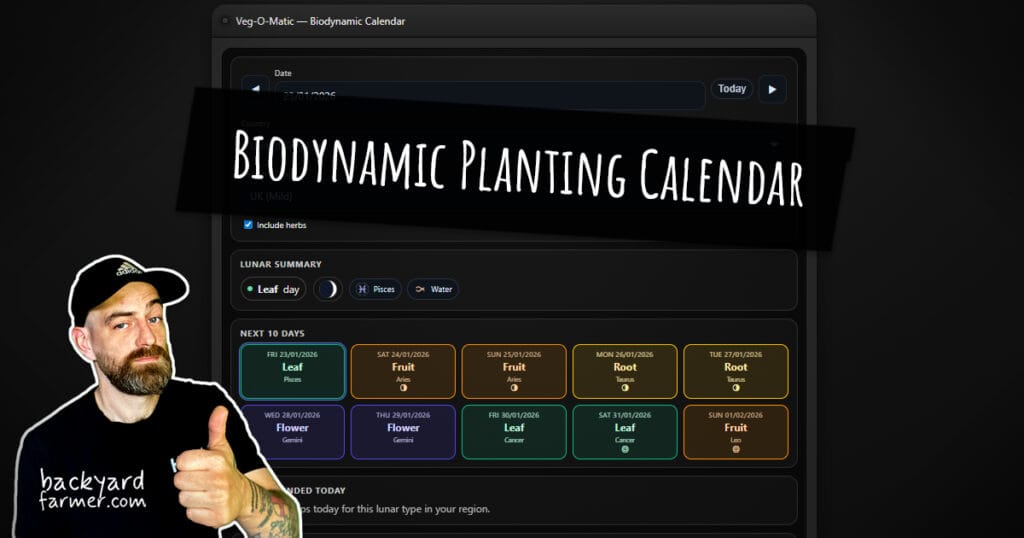
The Biodynamic Planting Calendar shows what to sow and plant based on lunar gardening principles, tailored for the UK and US. Select your country and
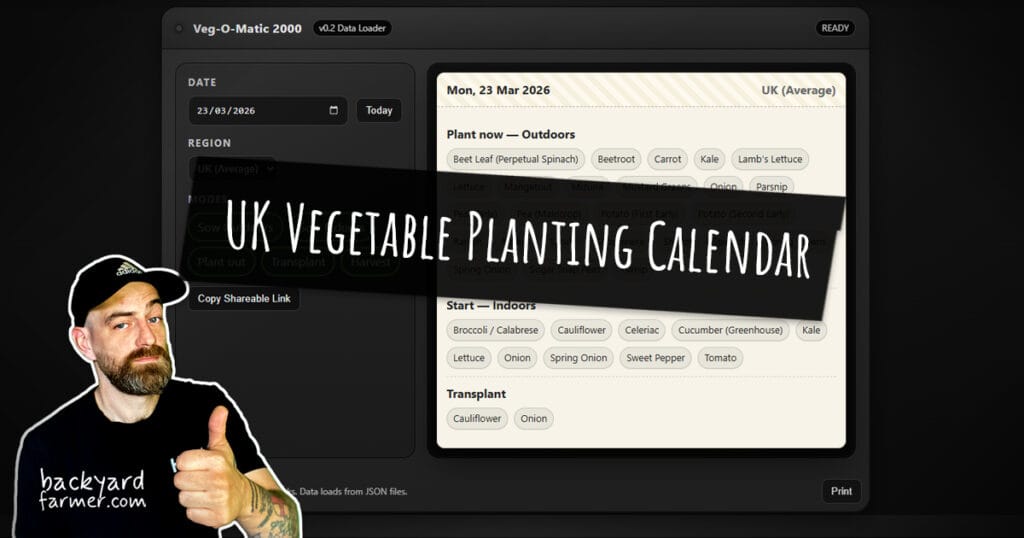
The UK Vegetable Planting Calendar shows what you can sow, plant, transplant, or harvest using typical UK growing conditions as a starting point. Choose your
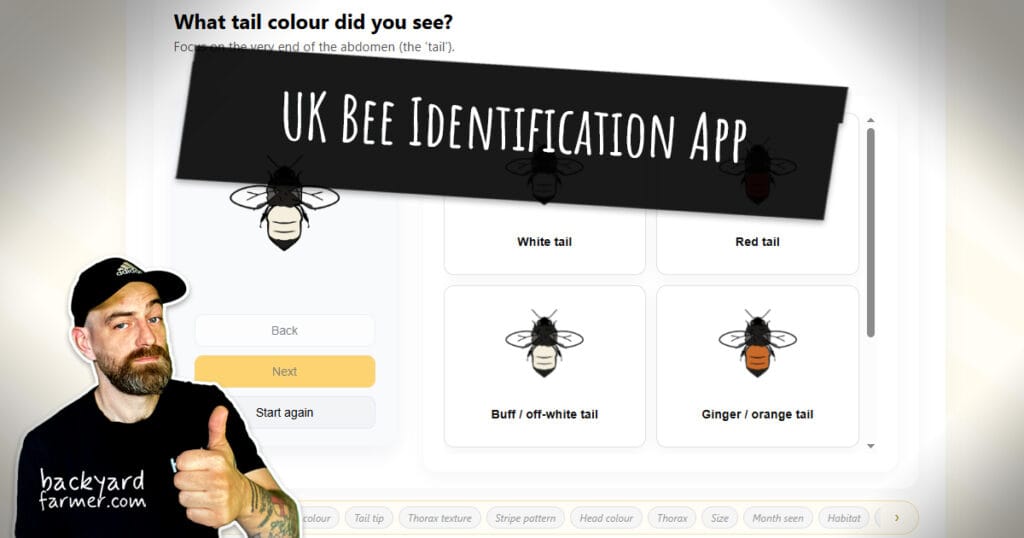
Not sure which bee you’ve just spotted? Use this free UK bee identification tool to narrow it down quickly. Filter by tail colour, stripe pattern,
Support This Free Garden Planner
The Square Foot Garden Planner was built to help gardeners quickly design productive raised beds without complicated spreadsheets or paid software.
I keep the tool free to use, with no subscriptions or sign-ups required.
If the planner helps you design your garden, you can support the project with a small contribution. Your support helps keep the planner running, improves future updates, and funds new free gardening tools.

Thank you for helping keep independent gardening resources free and accessible for everyone.